Nano Banana 2

Use Nano Banana 2 in PixPark for faster editing loops, more accurate text in images, stronger localization, and search-grounded image workflows.

1

Explore the Google Nano Banana family

What Nano Banana 2 Does Best

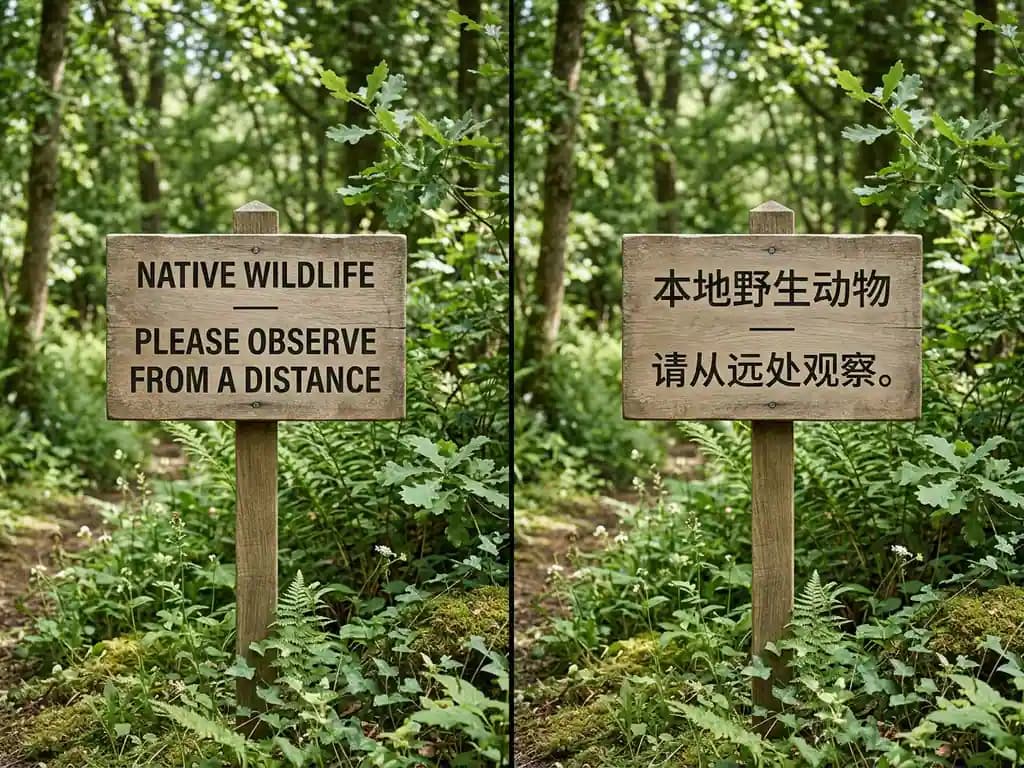
Feature image for In-Image Translation and Localization with Nano Banana 2.

In-Image Translation and Localization with Nano Banana 2

Useful when you need the same design to read naturally across languages without breaking layout, spacing, or material detail.

Take this eco-friendly wildlife sign and remake it for Simplified Chinese readers. Keep the same composition, wood texture, spacing, and calm natural mood, but translate the headline and supporting text into fluent Simplified Chinese that still looks clean and readable in the final image.
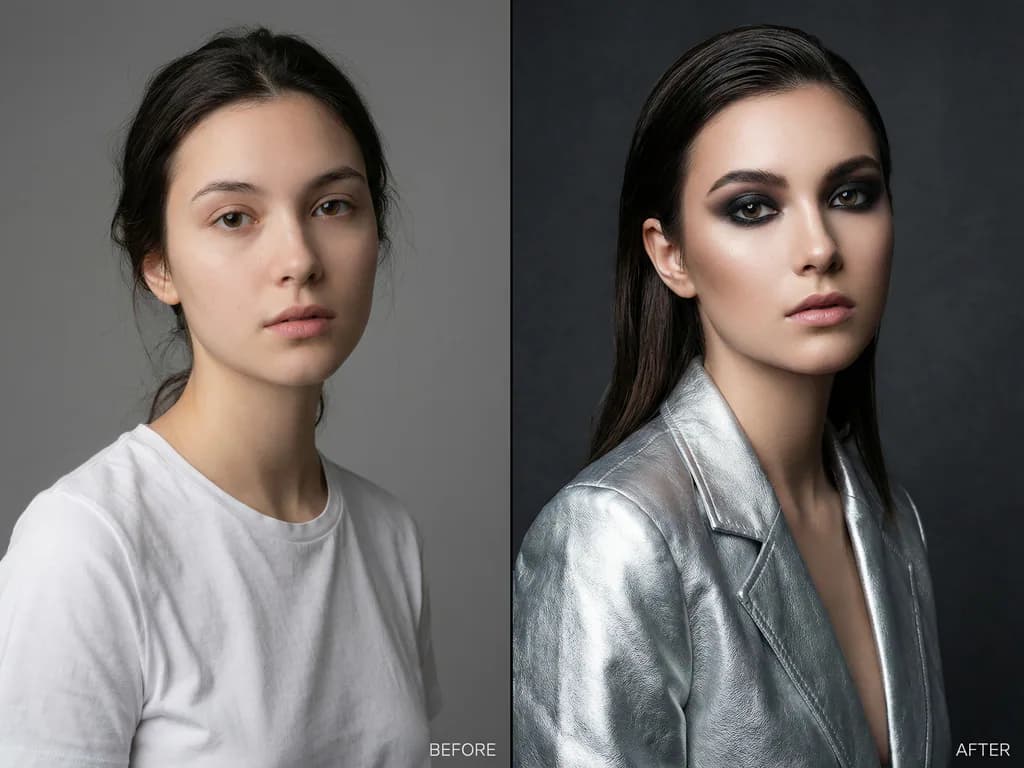
Feature image for Nano Banana 2 for Conversational Editing.

Nano Banana 2 for Conversational Editing

Great for stronger step-by-step edits when you want a familiar source image to turn into something more polished without losing the original person.

Use this portrait as the base image and turn it into a luxury fashion editorial. Keep the same woman, same face, same pose, and same framing, but upgrade the styling with a sculptural silver jacket, refined makeup, richer studio lighting, and a more premium magazine finish.

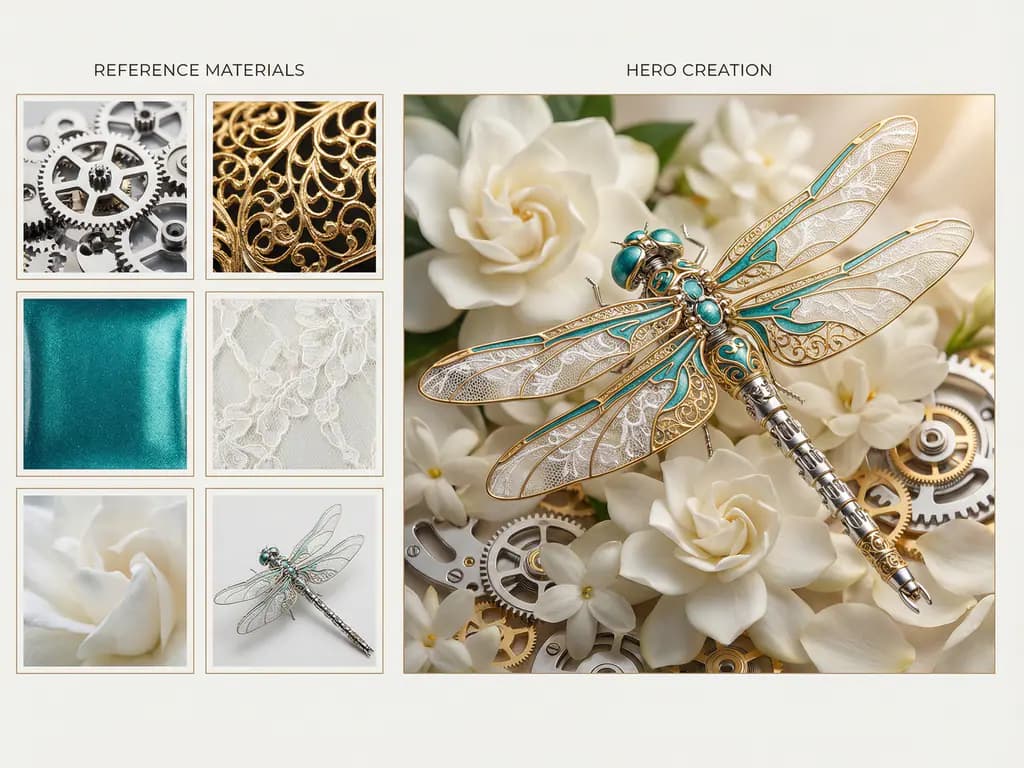
Feature image for Multi-Reference Fusion in Nano Banana 2.

Multi-Reference Fusion in Nano Banana 2

Useful when one final image needs to merge style, materials, and subject cues from several references without feeling stitched together.

Use the uploaded reference images to create one polished hero image that combines the key materials, colors, and subject details from all of them into a single luxurious mechanical dragonfly sculpture. Keep the silver metal structure, gold filigree accents, teal enamel surfaces, and soft floral setting coherent across the final composition.

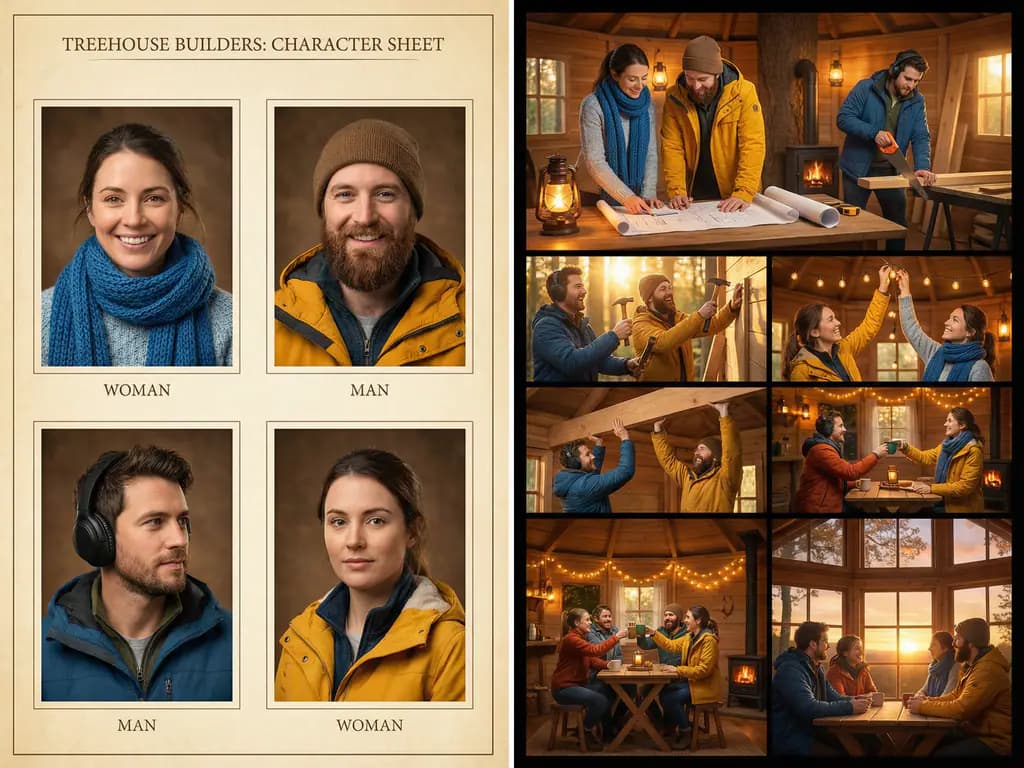
Feature image for Character Consistency with Nano Banana 2.

Character Consistency with Nano Banana 2

Useful when the same cast has to stay recognizable across multiple frames while the story, camera angle, and expressions keep moving.

Use the uploaded character references to create a cozy treehouse storyboard with six moments. Keep every character recognizable from frame to frame with the same clothing, colors, hairstyle, and facial features, while changing the expressions, poses, and camera angles across the storyboard.

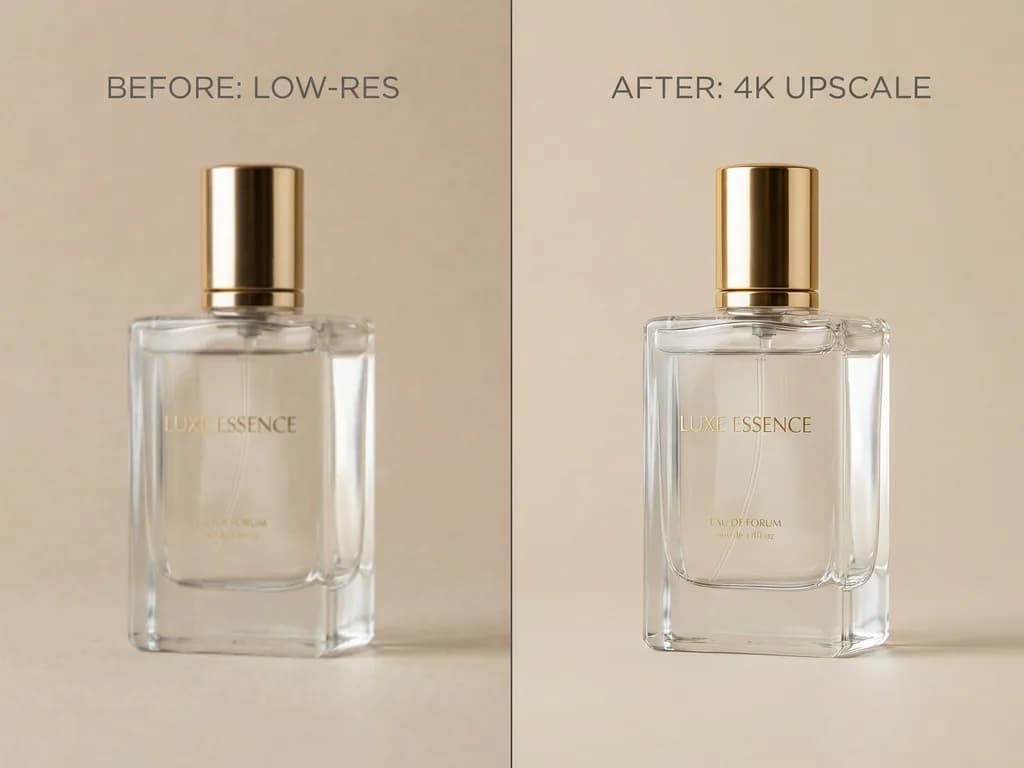
Feature image for Nano Banana 2 for 4K Upscaling and HD Reconstruction.

Nano Banana 2 for 4K Upscaling and HD Reconstruction

Useful when a soft source image needs to become cleaner, sharper, and more presentation-ready without changing the core composition.

Upscale this luxury perfume product photo to a clean 4K studio image. Keep the same bottle, same framing, and same beige background, but improve the glass reflections, sharpen the label text, refine the edges, and make the overall finish feel ready for ecommerce and campaign use.

Feature image for Search Grounding and Real-World Knowledge in Nano Banana 2.

Search Grounding and Real-World Knowledge in Nano Banana 2

Use search grounding to generate scenes that feel current, recognizable, and tied to real places or products.

If search grounding is enabled, create a photorealistic airplane window view approaching Santorini, Greece. Use accurate coastline geography, believable white cliffside villages, natural sea color, realistic caldera shapes, and current cloudy weather details so the scene feels like a real arrival shot instead of a generic island image.

How to Prompt Nano Banana 2

Write clearer prompts, assign cleaner reference roles, and iterate in the same conversation to get stronger text, editing, localization, and consistency from Nano Banana 2.

Prompt formula

[Goal] + [Subject] + [What must stay unchanged] + [What should change] + [Style / lighting / composition] + [Text requirements] + [Aspect ratio / output quality]

01

Describe the scene, not just keywords

Use a complete, natural sentence or short paragraph. Nano Banana 2 responds better to a coherent scene description than to a pile of disconnected words.

02

Lock what must stay unchanged

If identity, product shape, framing, or layout matters, say that first. Then describe the change you want.

03

Give each reference one job

Use one reference for style, one for composition, and one for product or character detail instead of letting all references compete.

04

Keep text short and readable

Nano Banana 2 is stronger on short headlines, labels, and infographic text than on tiny type or long paragraphs.

05

Iterate in the same conversation

For localization, editing, or character consistency, keep refining in the same chat so the model can build on previous results.

06

Set format early

Choose aspect ratio and output quality up front when layout matters, and avoid relying only on left/right wording for spatial control.

Quick example

Do

Using the provided portrait, keep the same woman, same face, same pose, and same framing. Upgrade the image into a luxury fashion editorial with a sculptural silver jacket, refined makeup, richer studio lighting, and a premium magazine finish. Output in 4:5, 2K.

Don't

fashion editorial silver jacket luxury better lighting nice face high quality

Nano Banana family comparison

Feature
Nano Banana (Gemini 2.5 Flash Image)
Nano Banana Pro (Gemini 3 Pro Image)
Nano Banana 2 (Gemini 3.1 Flash Image)
Best forEveryday high-volume workProfessional asset productionFast high-volume production
Core leanSpeed-firstFidelity-firstBest overall balance
Editing styleConversational editsThinking-driven pro editsFaster advanced edits
Prompt complexitySimple to mediumBest for hard promptsStrong at Flash speed
Text in imageGood for basic needsBest text renderingStrong text upgrade
LocalizationBasic workflowsBest for multilingual assetsBetter in-image localization
GroundingGoogle Search groundingWeb + image grounding
Reference imagesLighter reference workflowsUp to 14 refsUp to 14 refs
Consistency focusCharacter + multi-image5 chars / 6 objects4 chars / 10 objects
ResolutionSpeed-focused default workflow1K / 2K / 4K512 / 1K / 2K / 4K
ThinkingDefault ThinkingControllable Thinking
Workflow roleSafe defaultNear-final deliveryMain workhorse
Choose it whenYou want speed and simplicityYou want the best finishYou want speed plus stronger output

Community feedback on Nano Banana 2

Nano Banana 2 FAQ

What is Nano Banana 2?

+
Nano Banana 2 is a fast AI image model for editing, text rendering, localization, reference-image workflows, and high-resolution outputs.

What is Nano Banana 2 best for?

+
It works best for everyday image creation that needs speed, cleaner text, and stronger reference handling.

Is Nano Banana 2 good at text in images?

+
Yes. It is strong on short titles, labels, and poster-style text.

How should I use reference images in Nano Banana 2?

+
Use a few clear references and give each one a specific role, such as style, composition, or product detail.

When should I use Nano Banana Pro instead?

+
Use Pro when the prompt is harder or the final image needs a more polished finish.

Why doesn’t Nano Banana 2 always follow every prompt exactly?

+
Conflicting instructions and overly complex prompts usually reduce consistency.